

Move/Copy Data to and from Sub-Accounts
Sub-AccountsMoving or copying domains to sub-accounts in AccuRanker
How do I copy a domain to a sub-account in AccuRanker?
Step 1)
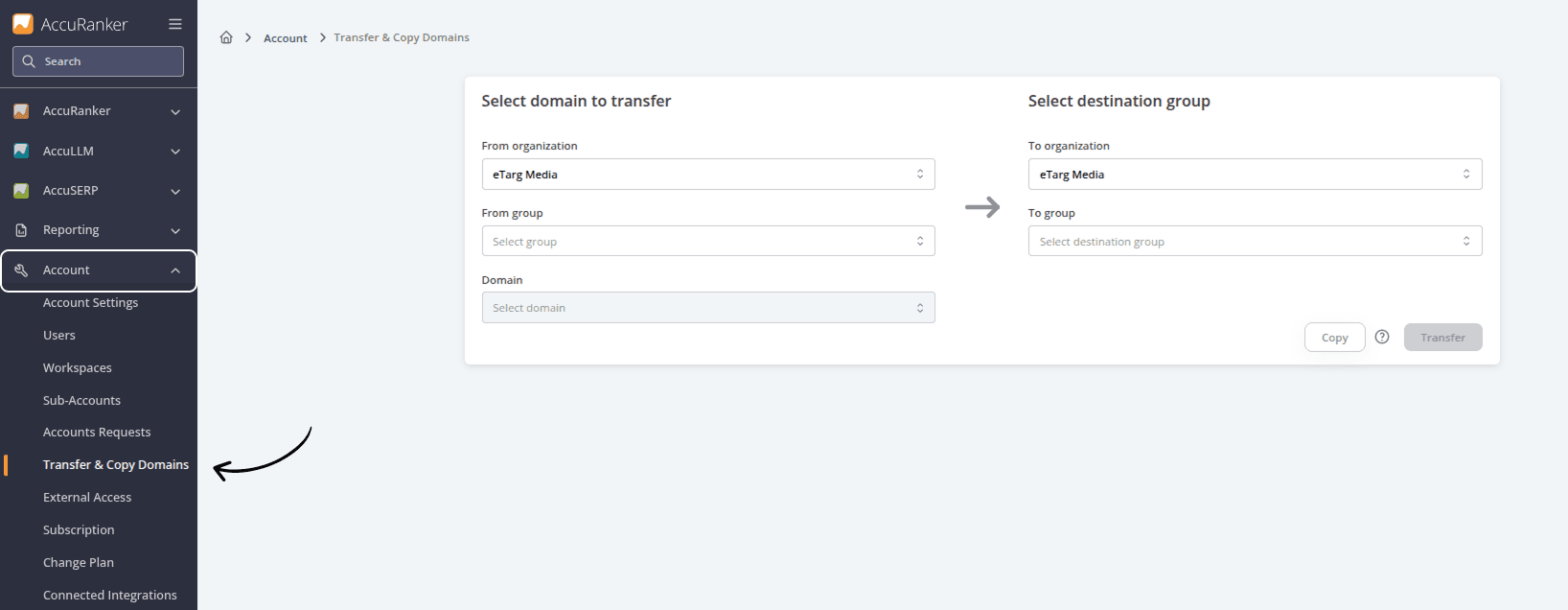
To move or copy a domain to a Sub-Account, go to Sub-Accounts and select “Transfer Accounts Domains”
Step 2)
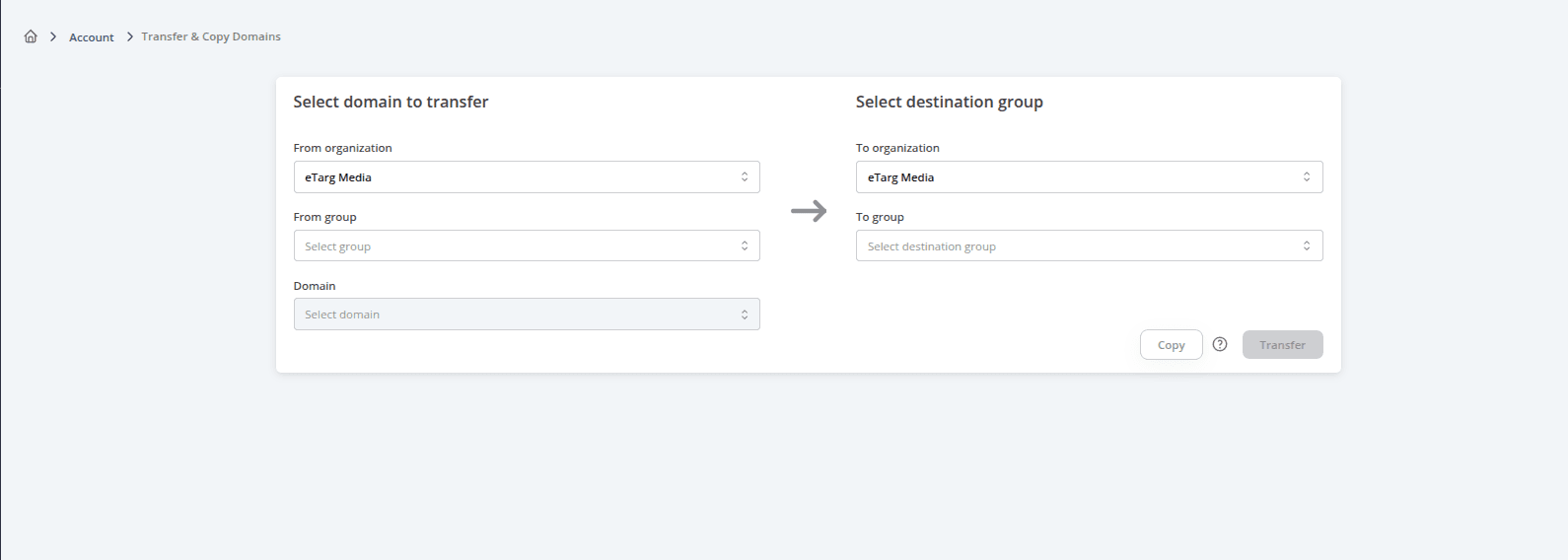
Choose the domain then decide which organisation and group to move it to. If you want to copy the data, make sure to enable “Copy domain”.
Lastly, click “Move domain” to complete the move.
Related help guides
Requesting Access to Another Account
Creating New Sub-Accounts
Moving a Domain to a Different Group
Still need help?
Customer support
Our live support team is ready to assist you with any issues.