

Moving a Domain to a Different Group
DomainsHow to move a domain to a different group
How can I move a domain to a different group in AccuRanker?
Step 1)
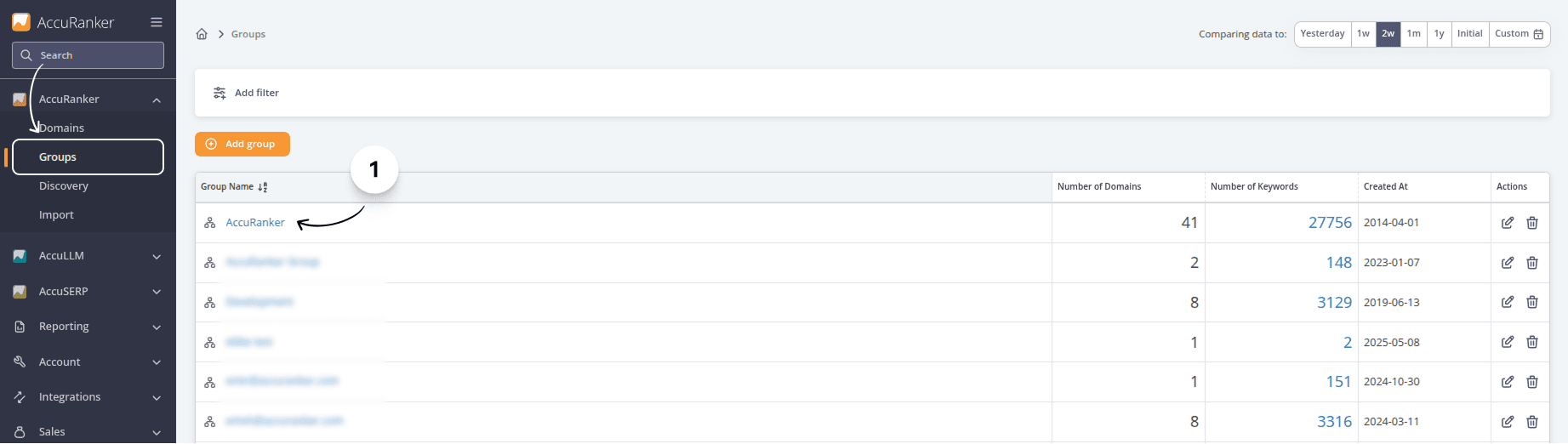
Select the ‘Groups’ tab. Select the group you want to move a domain to or add a new group.
Step 2)
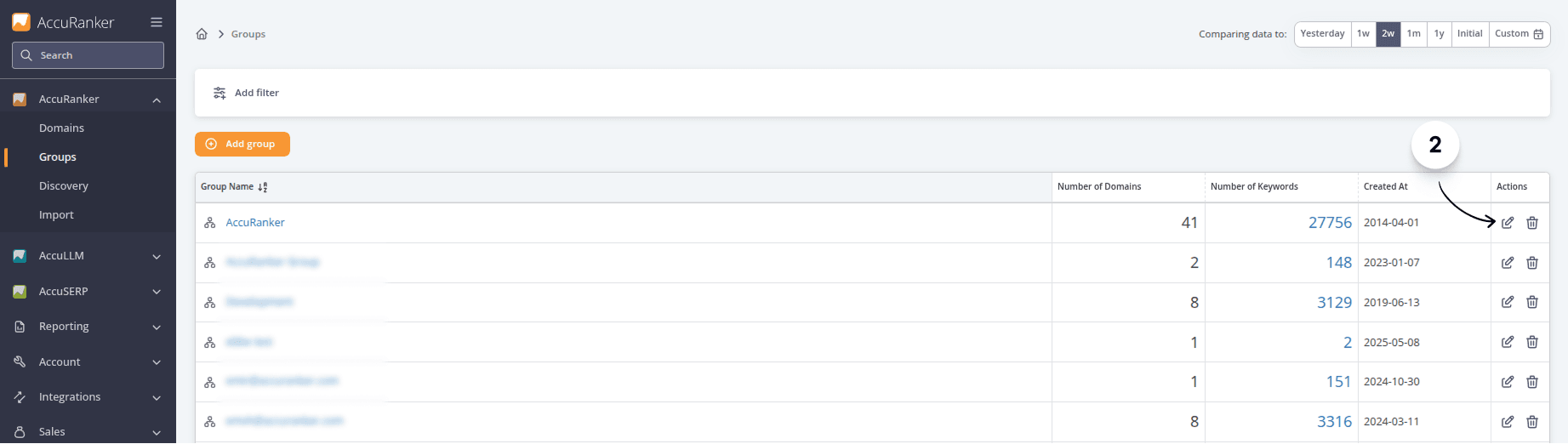
Click on the pencil icon to “Edit” the domain that you want to change groups for.
Step 3)
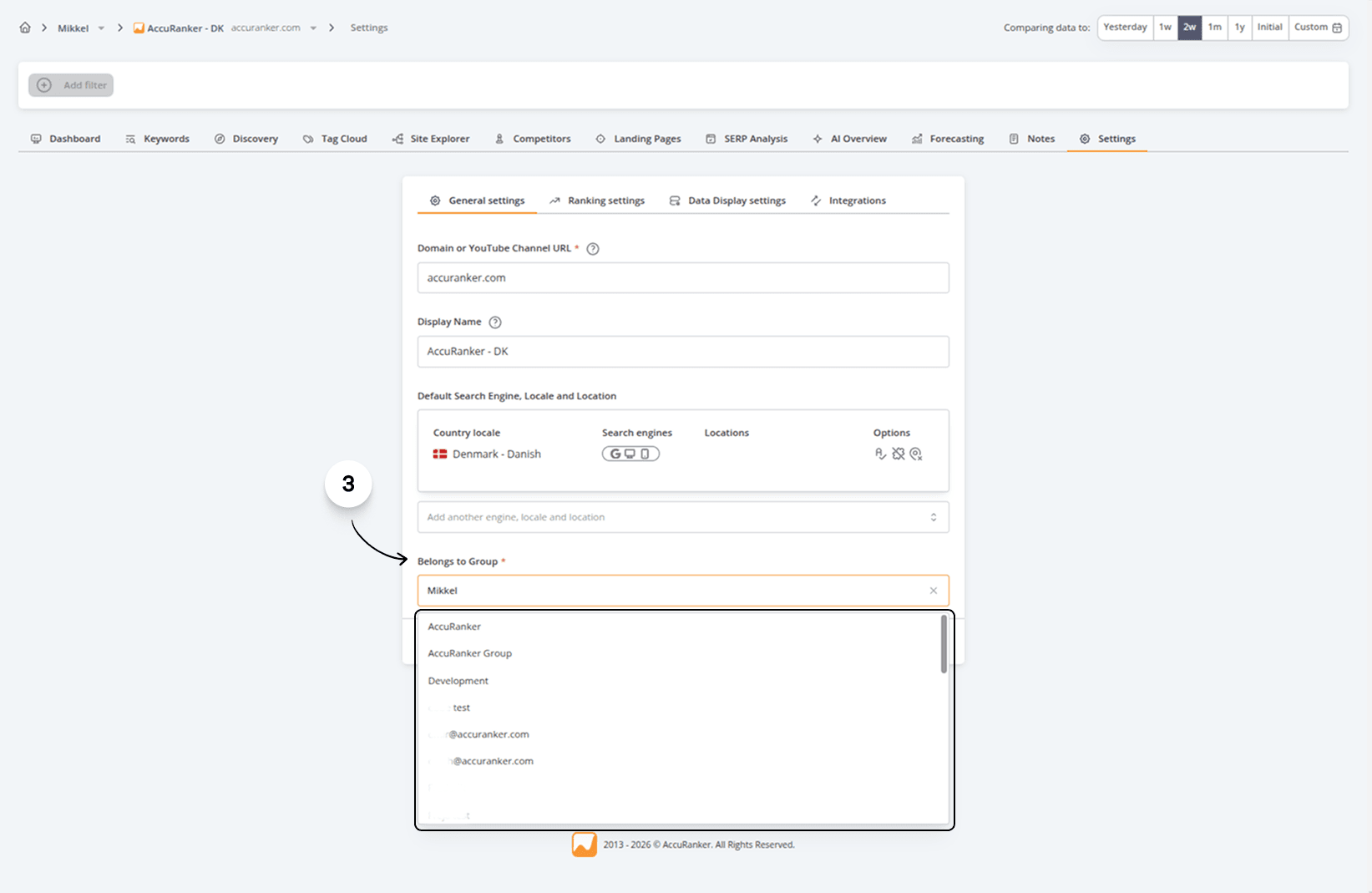
Find and change the group. Then click save.
Read more about how to include subdomains.
Related help guides
Adding and Deleting Groups
Adding Domains
Changing Domain Settings
Still need help?
Customer support
Our live support team is ready to assist you with any issues.