

Connecting to Google Search Console
IntegrationsHow to integrate AccuRanker with Google Search Console
How can I connect my website’s Google Search Console to AccuRanker?
In tandem with Google Analytics, AccuRanker is able to provide additional data. This includes “Keywords Potential” and “Estimated Monthly Visitors” per keyword.
The steps below explain how to connect your Google Search Console with AccuRanker.
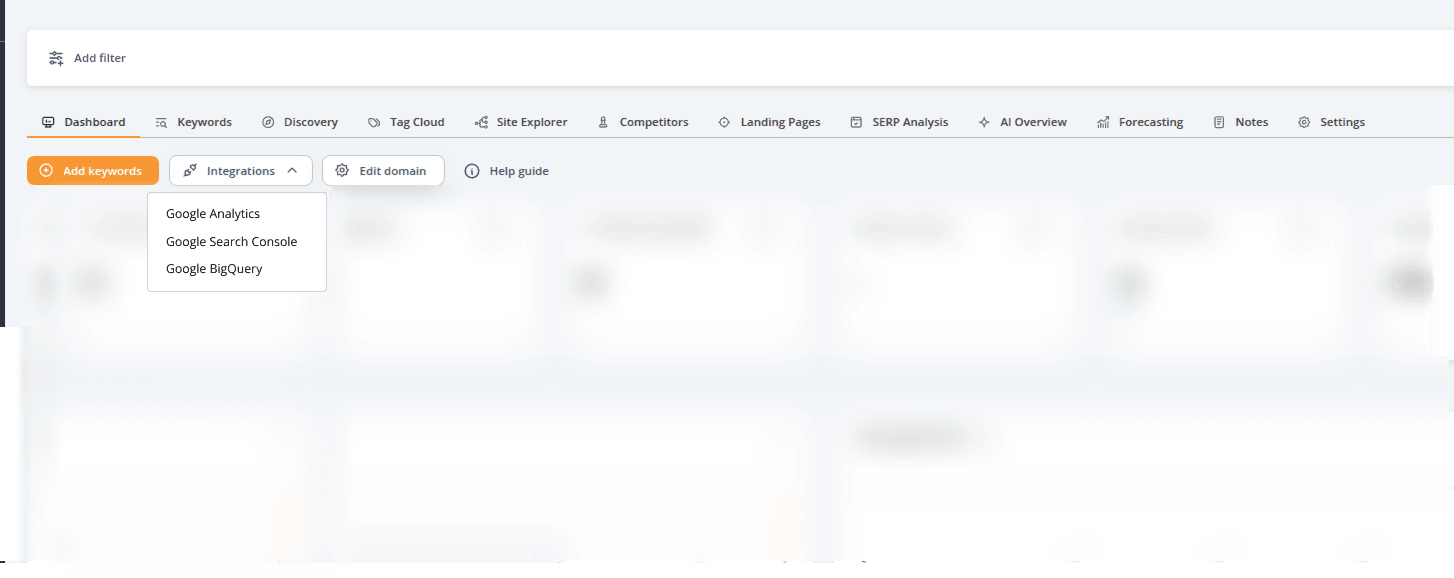
Step 1) Go to the overview page for the domain in question, and click “Integrations” - Select "Google Search Console".
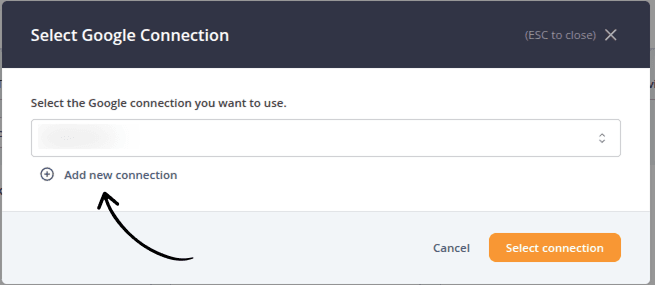
Step 2) Click “Add new connection” to create a new.
Step 3) Enter a name for the connection. We recommend being detailed and precise to remember what each connection represent going forward.
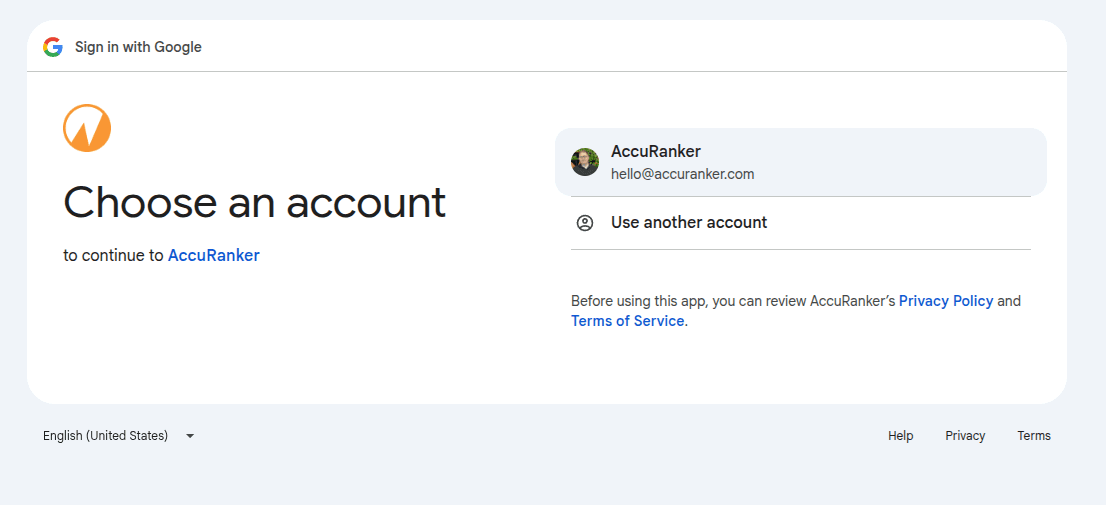
Step 4) Select your google account, or use Use another account to log in another account.
Write a description for your Google account, and click the button: “Add connection“.
Step 5) Click “Allow”
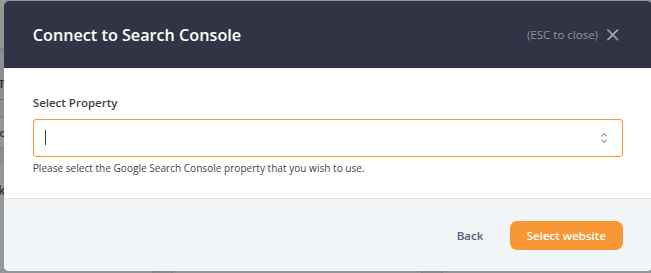
Step 6) Select your Google Search Console property, and click “Select website”
Step 7) Your connection is set up.
You will now be prompted to import your keywords into AccuRanker (optional):
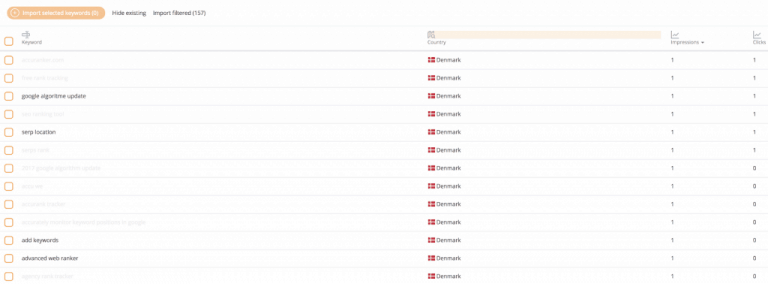
If possible, we recommend importing all your keywords. This will ensure the most accurate representation of your online presence.
When importing selectively, sort by the various filters to see your most important keywords (e.g. search volume, traffic, SERP features), and import the keywords that are providing the URL with traffic.
Related help guides
Changing from HTTP to HTTPS
Connecting to Google Analytics
Connecting to Data Studio
Still need help?
Customer support
Our live support team is ready to assist you with any issues.