

Changing Domain Settings
DomainsChanging domain settings and domain group management
How can I change domain settings in AccuRanker?
To change domain settings, follow the instructions below: Select the ‘Domain’ tab. Click the menu icon and select “Edit”.
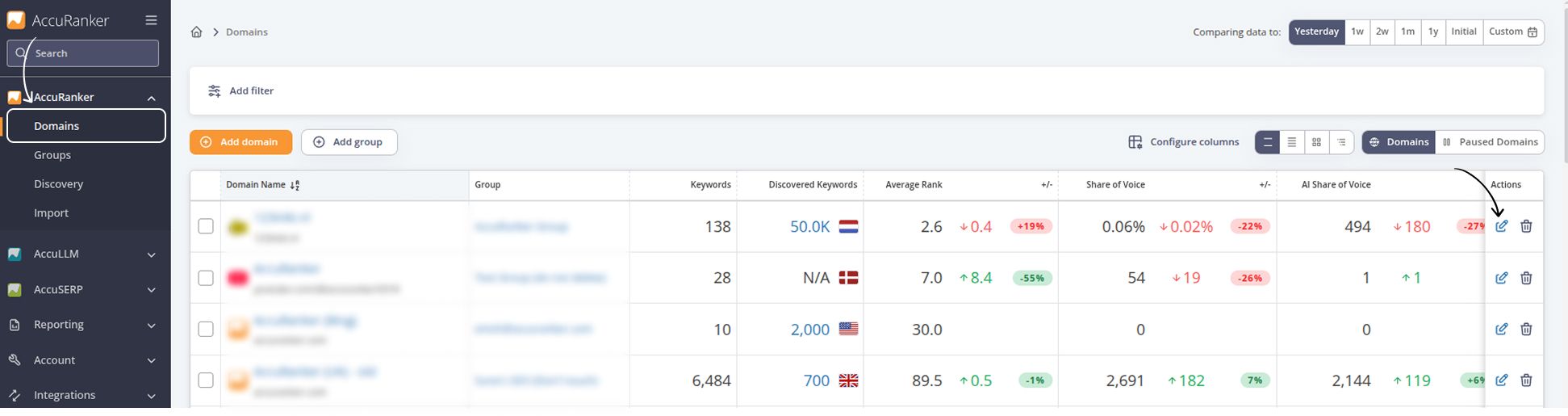
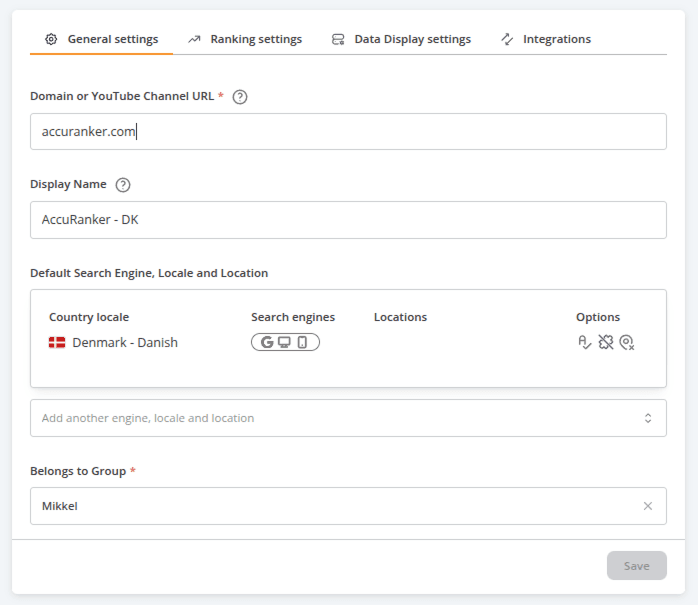
Editing options include:
- Domain name
- Display name
- Default search locale for the Add keywords box
- Group
- Google Business name(s)
- Include subdomains (advanced settings)
- Exact match (advanced settings)
- Link social media
- Search volume settings
- CPC Currency
- Average Rank settings
Related help guides
Adding Domains
Moving a Domain to a Different Group
Including Subdomains
Still need help?
Customer support
Our live support team is ready to assist you with any issues.