

Local Packs and Google Business Name
KeywordsHow local packs are counted in AccuRanker and why you should add your Google Business Name
Should I add my Google Business Name in AccuRanker?
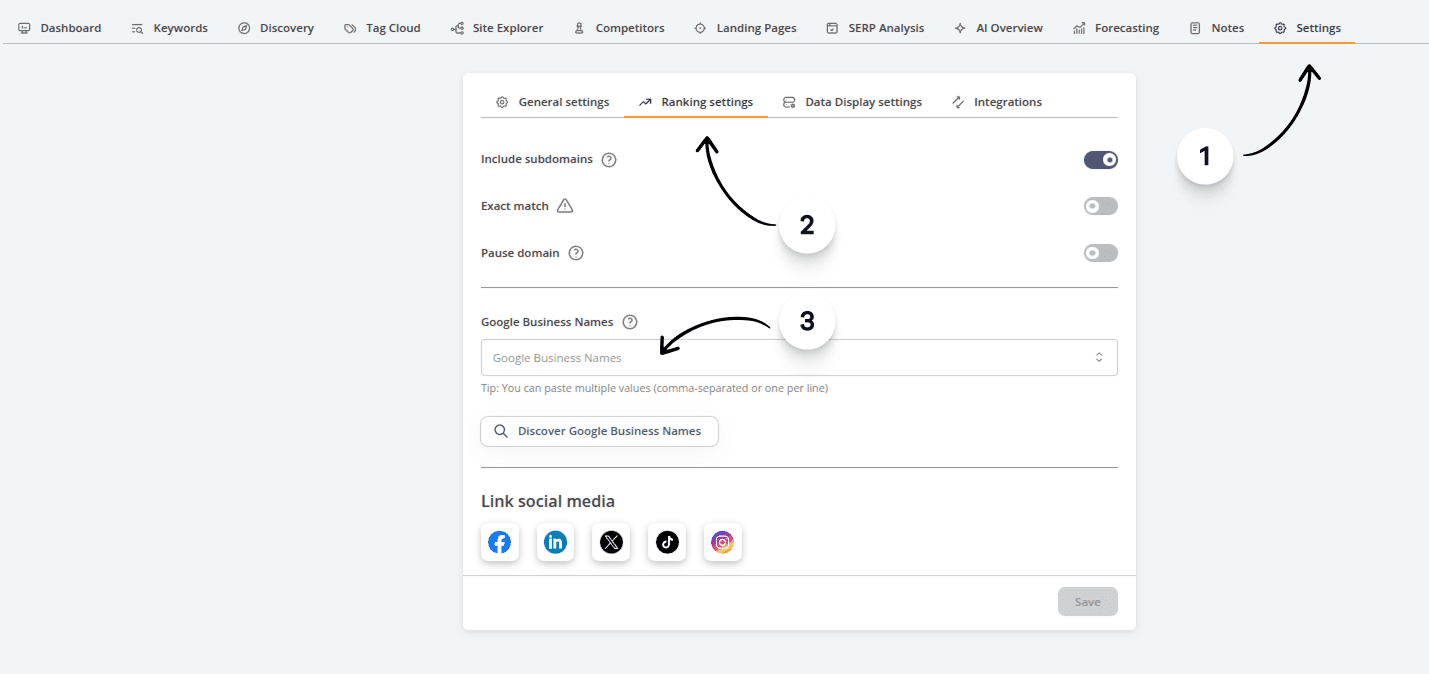
To enable AccuRanker to track local results, even without URLs in the local pack, you should add a Google Business Name to the domain.
You can add your Google Business Name in the Domain settings.
How can I track Local Packs in AccuRanker?
Unless you’re ignoring local packs for your keywords, SERPs containing Local Packs will count as rank 1, 2 and 3.
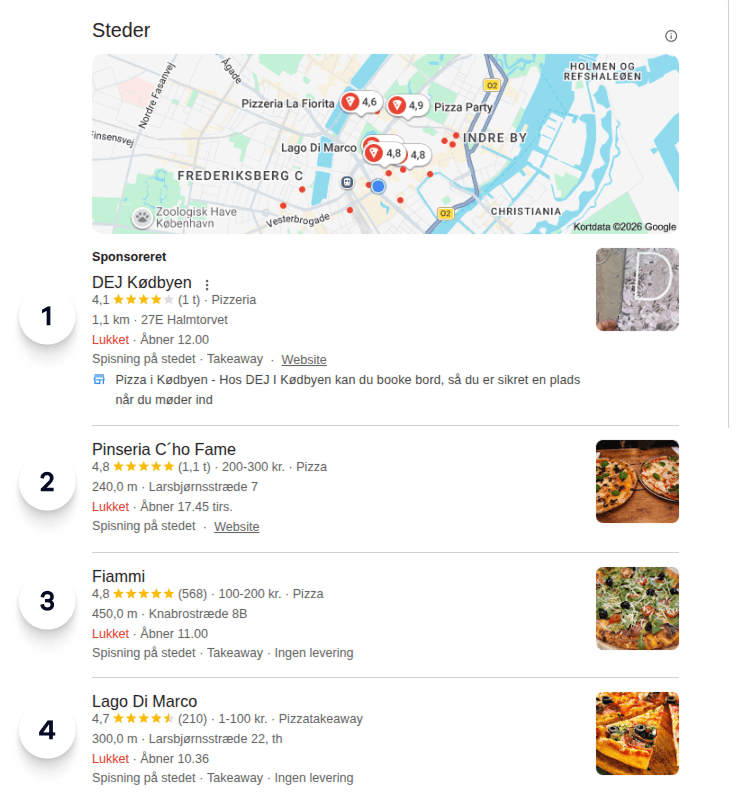
If you don’t add your Google Business Name in AccuRanker, we won’t be able to give a ranking in local packs. More specifically, you risk getting inaccurate data.
Related help guides
Tracking Keywords Globally
Ignoring Local Packs
SERP Features
Still need help?
Customer support
Our live support team is ready to assist you with any issues.