

Importing Keywords and Historic Data via CSV
IntegrationsHow to import keywords and historic data to AccuRanker using a CSV file
How do I import a CSV file to AccuRanker?
Step 1)
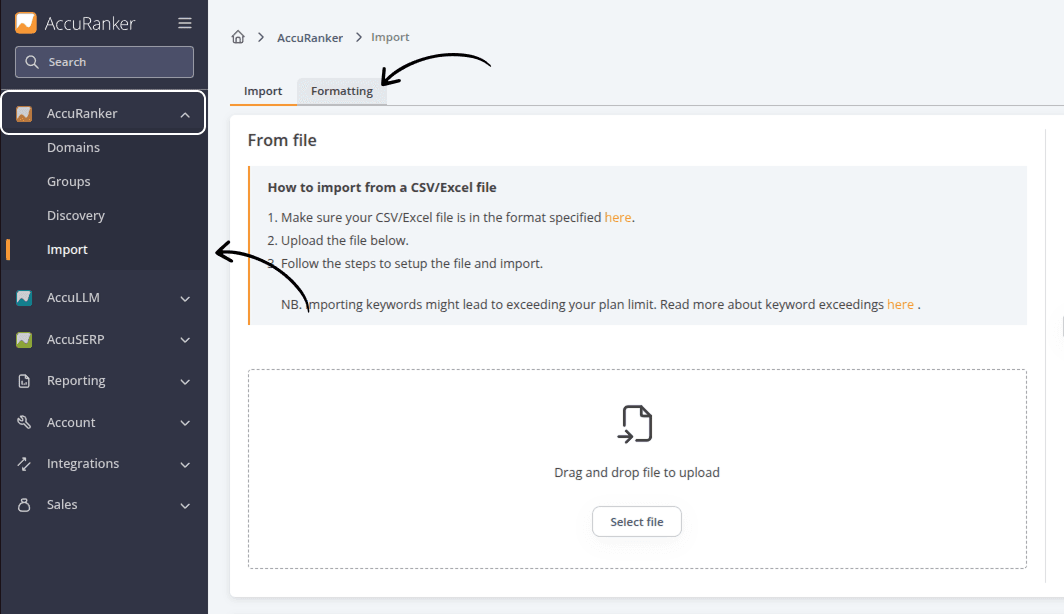
Go to “AccuRanker” or “AccuLLM” in the left-hand side menu, and select “Import”.
Step 2)
Upload your file.
You will find documentation and example files from the “Formatting” tab.
Step 3)
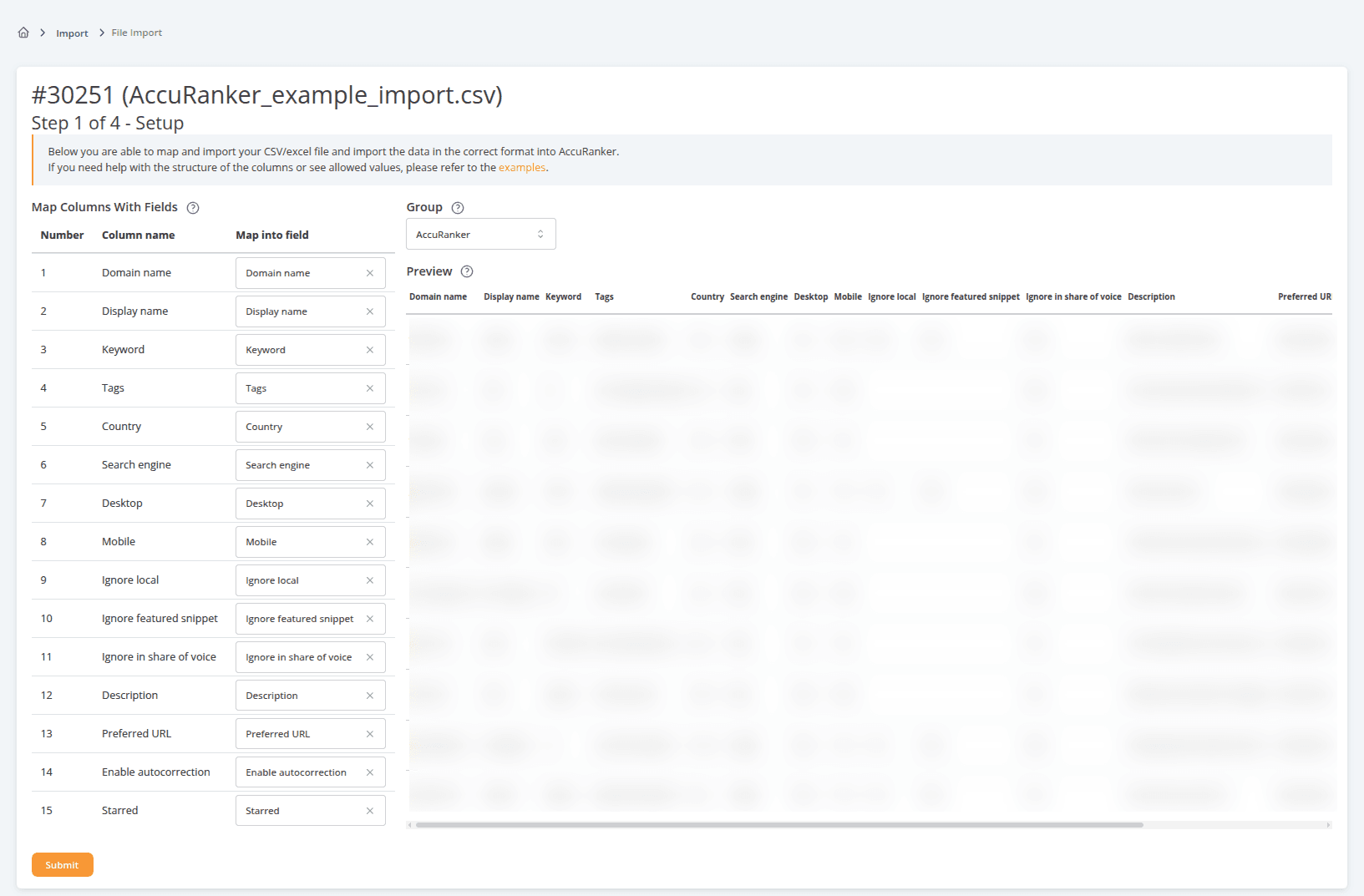
Select the group to import your data into, and ensure your fields are correctly mapped.
Step 4)
Click the orange “Submit” to upload the file.
Step 5)
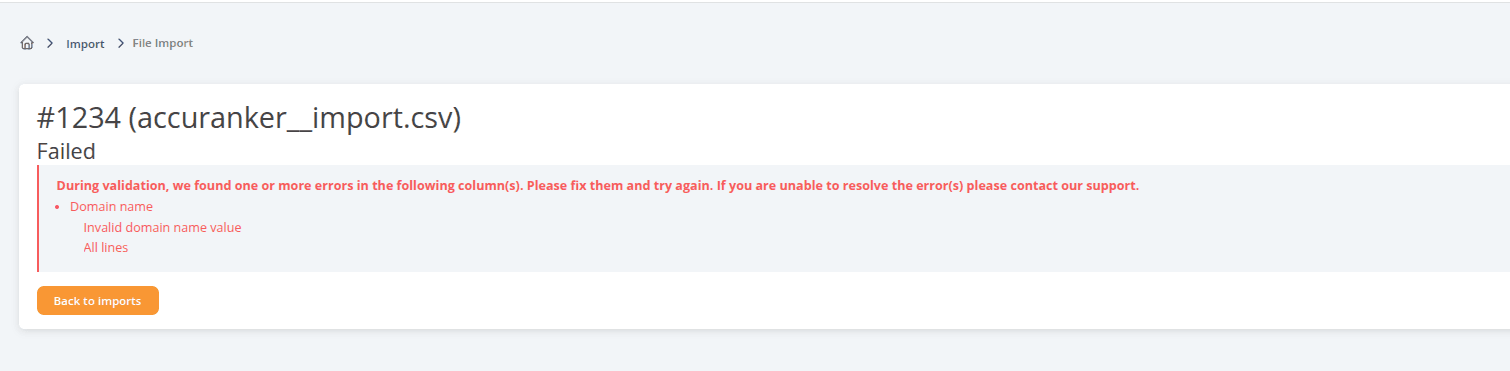
Your file is now being validated, added to the queue and imported. Should any errors occur in the file, a details error message will be displayed.
Related help guides
Import Keywords from HubSpot
Importing Data from a Third Party
Adding Keywords
Still need help?
Customer support
Our live support team is ready to assist you with any issues.